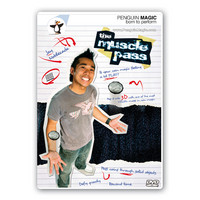
|
Penguin DVD Downloads - Before you
buy:
Step 1: Make sure you can play the test movie. Penguin DVD Downloads are copy-protected to protect the secrets. Penguin DVD Downloads currently play on Windows only. Most Windows users will need to upgrade to the latest version of Windows Media Player before they can play their DVD Downloads. We don't want you to be frustrated! Please make sure you can play the test movie before you buy. The good news is, once you can successfully play the test movie, the hassle is over and you're good to go. If your computer is having trouble playing the test movie, Windows Media Player will usually give you instructions on how to fix the problem. Follow these instructions! The Windows Media Player Upgrade is free and easy. The only tricky part is that you must be using Internet Explorer (not Firefox) when you click the Upgrade link. Step 2: Add DVD Downloads to your cart and check out as normal. Step 3: Visit the My DVD Downloads Page inside your MyPenguinMagic section. This is where you'll go to download your DVD Downloads once you've completed your order. Step 4: Download your DVD file. You have two options: You can "left click" and start streaming your DVD Download. This is a good option if you have a super-fast connection. Or you can "right click" and "Save Target As". Most users have a better experience when they "right click" and "Save Link As" (Windows Vista) or "Save Target As" (Windows XP). This is great because you're storing the video file so you can watch it when you're offline (just be sure you're online the first time you open the file so you can obtain your license). You can store your DVD Downloads files anywhere you like. We recommend creating a folder on your Desktop called "Penguin DVD Downloads". If you accidentally erase a DVD Download file, don't worry. You can always download it again. Step 5: Obtain a license. The first time you open a DVD Download, Windows Media Player will ask you for your Penguin Magic username and password. This lets your computer download a license for that DVD Download. The license enables you to play the DVD Download file as many times as you want. You can play each DVD Download on up to three computers. If you need more licenses than that for your own personal use, just contact customer service. Remember, you purchased the item and we want you to have it. We use copy protection to protect the secrets, not to try to force you to pay more money. We will never ask you to pay more money or purchase another version of a downloadable product if it is lost or stops working. You will automatically be upgraded to future versions of Penguin Produced digital products as the technologies and devices improve.
Click here to browse the entire DVD Downloads section! |
![]() Get special. Custom email updates and offers for our most serious customers.
|
|||||||||||||||||||||||||||||||||||||||||||||||||||||||||||||||||||||||||||||||||||||||||||||||||||||||||||||||||
|
Get To Know Us
|
Shipping and Store Policies
|
Need Help?
|
||||
|
|
||||||